For developers

Embed try-on in minutes

Photoreal virtual try-on, ready to drop into your product. Paste an iframe with a site key or call the REST API — no model training, no infra to run.


Embed widget · REST API · site-key host control
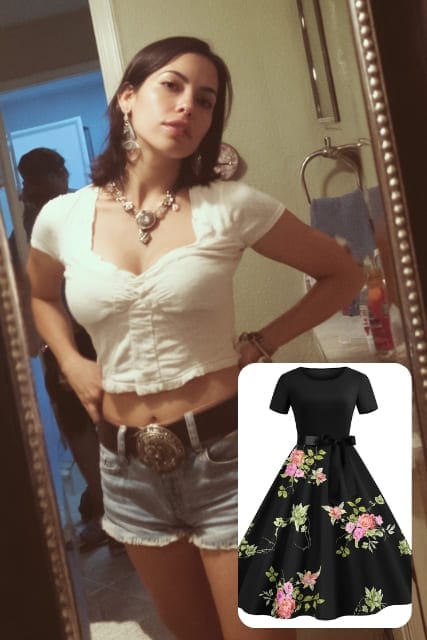
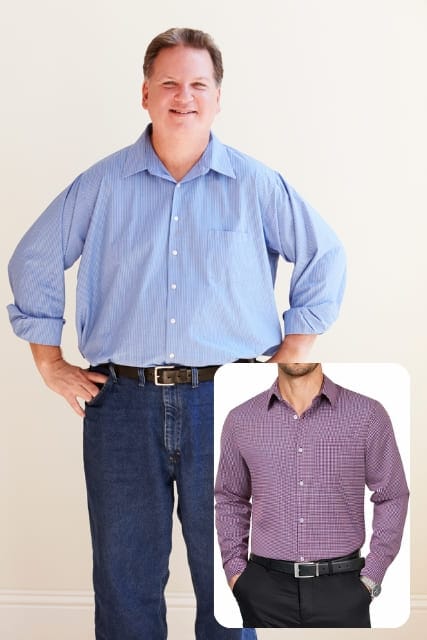
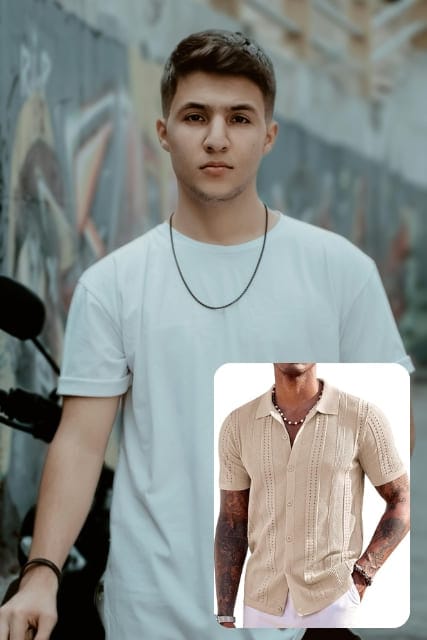
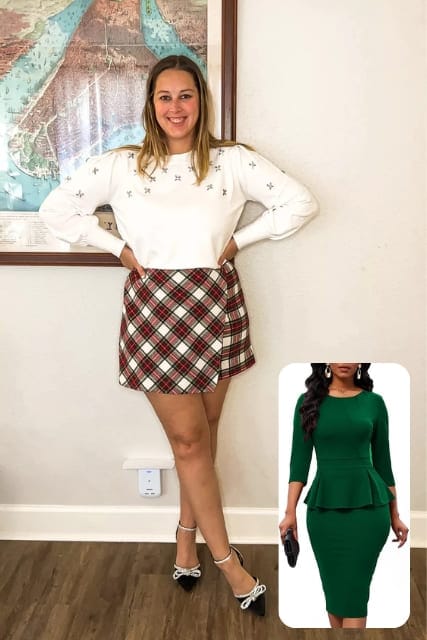
After: A photoreal virtual try-on result generated through the TryItOn APIBefore: A photoreal virtual try-on result generated through the TryItOn APIBeforeAfter

Two lines of integration, one fitting room

Generate a key in the developer dashboard, then drop in an official SDK — Node.js, Python, PHP, Ruby, or Go — or call the API directly.

// npm install tryiton
import { TryItOn } from "tryiton";

const client = new TryItOn({ apiKey: process.env.TRYITON_API_KEY });

const jobId = await client.tryOnClothes({
  modelImage: "https://example.com/model.jpg",
  garmentImage: "https://yourstore.com/product.jpg",
  category: "clothing",
  subcategory: "tops",
});

const [resultUrl] = await client.waitForResult(jobId);

What the API gives you

The same engine behind our consumer app, exposed as a clean, documented API.

Clothing & accessories

Pass a category and route any garment, eyewear, or accessory through the right try-on model automatically.

Async jobs

Kick off a try-on, poll for status, and pull the result — built to fit into background queues and webhooks.

Site-key host control

Scope each key to an allow-list of domains so the widget only runs where you ship it.

Before / after output

Get back clean, photoreal result images ready to drop into your own compare UI.

Real bodies, real fits

Before: Virtual dress try-on result
After: Virtual dress try-on result
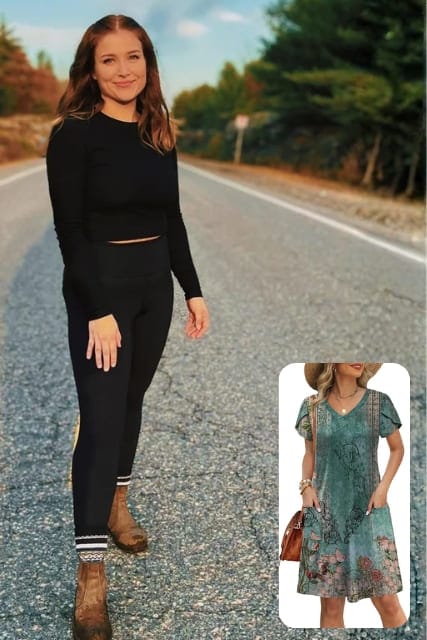
Before: Denim outfit virtual try-on
After: Denim outfit virtual try-on
Before: Tailored suit visualization
After: Tailored suit visualization
Before: AI virtual outfit try-on
After: AI virtual outfit try-on
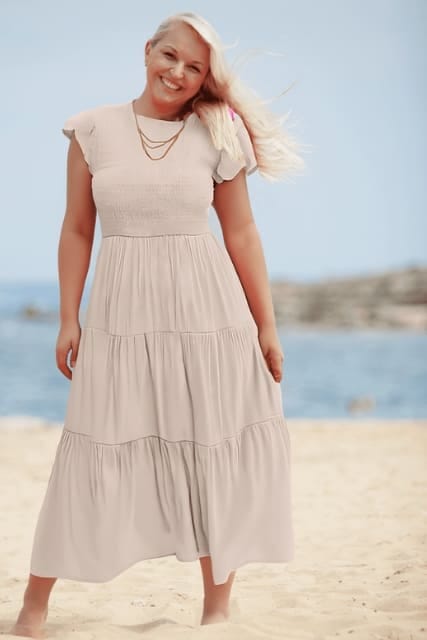
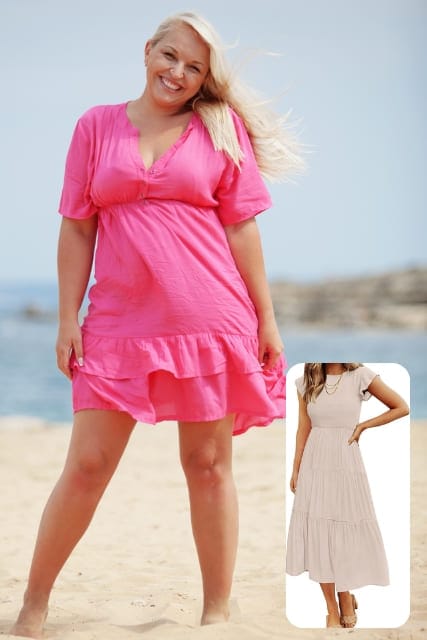
Before: Summer dress fitting
After: Summer dress fitting
Before: Streetwear try-on
After: Streetwear try-on
Before: AI clothing simulation
After: AI clothing simulation
Before: Virtual dress try-on result
After: Virtual dress try-on result
Before: Denim outfit virtual try-on
After: Denim outfit virtual try-on
Before: Tailored suit visualization
After: Tailored suit visualization
Before: AI virtual outfit try-on
After: AI virtual outfit try-on
Before: Summer dress fitting
After: Summer dress fitting
Before: Streetwear try-on
After: Streetwear try-on
Before: AI clothing simulation
After: AI clothing simulation

Everything you need to ship

Official SDKs, keys, docs, and a live widget to copy from.

Official SDKs

Open-source clients for Node.js, Python, PHP, Ruby, and Go — install, authenticate, run a try-on.

Browse the SDKs

API documentation

Endpoints, parameters, and auth — everything to integrate try-on into your stack.

Open the docs

Developer dashboard

Create API keys and site keys, set allowed hosts, and watch your usage.

Open the dashboard

Live embed widget

The exact widget you'll ship — open it, inspect it, copy the integration.

Try the widget

Designing a try-on integration that feels native

The widget and API snippets above get a result on the screen. Shipping something production-grade is about the shape around them — how a request flows, how you handle an asynchronous result, what images you feed in, and how the wait reads to a user.

A typical request flow

Most integrations follow the same arc, whether you embed or call the API directly.

  • Resolve the inputs: Take the shopper's photo and the product's garment image URL for the page they're on.
  • Kick off the job: Embed the widget, or POST to the API and get back a job you can track.
  • Render the result: Show the finished image in your own before/after view once the job completes.

Handling asynchronous results

Because try-ons run as jobs, plan for the gap between request and result rather than blocking on it.

  • Poll with backoff: Check job status on an interval that widens over time instead of hammering the endpoint.
  • Persist by job id: Key results to the job so a refresh or a returning session can pick the look back up.
  • Cache the output: Store finished images so a repeat view of the same garment doesn't pay for a second render.

Input requirements that affect quality

Garbage in shows up in the render — a few input rules keep results sharp.

  • Reachable garment images: Pass a stable, publicly fetchable product image URL, not a transient or auth-gated one.
  • Clean product shots: A clear image of the item on a plain background routes and renders best.
  • Right category: Send the category that matches the item so the request hits the correct try-on model.

Designing the wait

A try-on takes a moment, so treat the loading state as part of the feature: show progress rather than a frozen button, keep the original product image in view as the “before,” and reveal the result with a compare slider so the shopper can flip between the two. The widget already does this — match it if you build your own UI.

Frequently asked questions

Trying something new can raise a few questions — here are the ones we hear most.

  • The embed widget uses a site key passed as a query param and locked to your allowed hosts. The REST API uses a secret API key sent as a Bearer token. Create both in the developer dashboard.

  • A site key is public and safe to expose in the browser for the iframe widget — it's restricted to your allow-listed domains. An API key is secret and used for server-to-server REST calls. Never expose an API key client-side.

  • Yes — official open-source SDKs for Node.js, Python, PHP, Ruby, and Go wrap the API and handle the submit-then-poll flow for you. You can also use a plain iframe embed or call the REST API directly. See the docs for install and quickstart.

  • Clothing plus accessories like eyewear. You pass a category (and optional subcategory) and we route the request to the right try-on model.

  • Try-ons run as asynchronous jobs — you start a job and poll for its status, which keeps your requests fast and your integration resilient.

  • Per try-on, with volume tiers. See the docs for current rates, or talk to sales for higher-volume plans.

Build with TryItOn

Generate a key, paste the snippet, and ship a fitting room today.

No model training, no GPUs to run — just an API call.