Try on a tattoo, on you
TryItOn's AI virtual tattoo try-on places any design onto your own skin, photorealistically. Check the placement, size and style before the ink is permanent - so you commit with confidence, not hope.
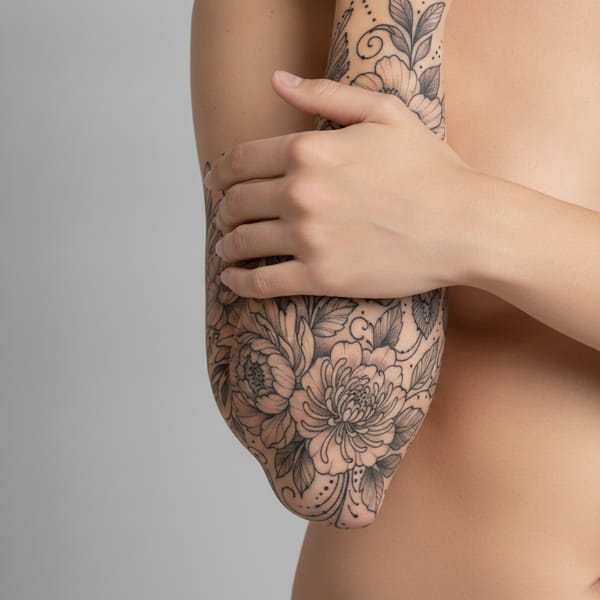
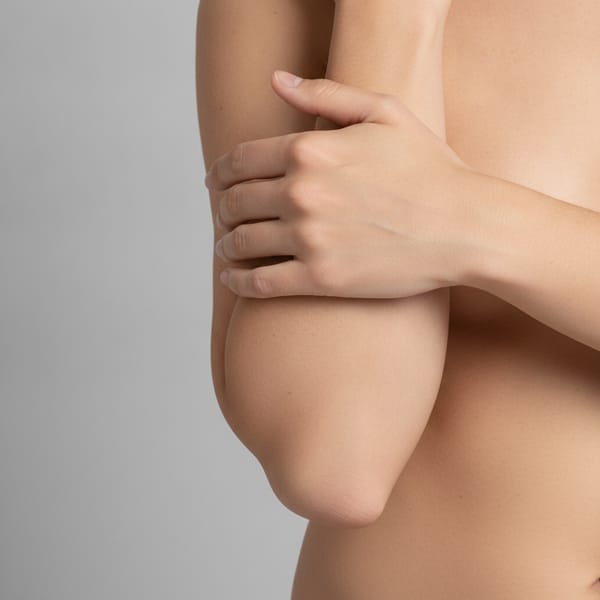 BeforeAfter
Drop your tattoo design
A photo or image of any design - PNG, JPG or WebP
Upload a designor

Trusted by shoppers at the world’s leading brands






How it works
Upload your photo, drop in any tattoo design, and watch it appear on your own skin in seconds - move it, resize it, and judge the placement before you commit.
- 1
Upload a photo
Show the body part you're considering — arm, forearm, shoulder or back.
- 2
Add your design
Drop in any tattoo design or flash you're thinking about, from a photo or link.
- 3
AI inks it on your skin
The design is rendered onto your skin so you can judge size, placement and flow.
- 4
Place before you commit
Move it, resize it and try spots until it's right — then take it to your artist.
A closer look at the AI virtual tattoo try-on
Love letters
to TryItOn

I had wanted a small piece for years but kept hesitating. Seeing it on my own forearm first finally gave me the confidence to book the appointment.

I tried the same design on my shoulder, ribs and ankle before deciding. The placement I almost picked would have looked cramped - so glad I previewed it first.

Being able to see a tattoo on me next to my existing ink helped me choose a piece that actually flows with my sleeve instead of fighting it.

I sent the preview to my tattoo artist and we sorted the size in one message. We both knew exactly what we were getting before I sat down.

Trying a tattoo before you get it sounds too good to be true, but I previewed three designs on my wrist and picked the one I will happily keep for life.
I had wanted a small piece for years but kept hesitating. Seeing it on my own forearm first finally gave me the confidence to book the appointment.
I tried the same design on my shoulder, ribs and ankle before deciding. The placement I almost picked would have looked cramped - so glad I previewed it first.
Being able to see a tattoo on me next to my existing ink helped me choose a piece that actually flows with my sleeve instead of fighting it.
I sent the preview to my tattoo artist and we sorted the size in one message. We both knew exactly what we were getting before I sat down.
Trying a tattoo before you get it sounds too good to be true, but I previewed three designs on my wrist and picked the one I will happily keep for life.



Your photos
are yours
Body images are sensitive. We treat them that way — encrypted, never sold, and gone the second you say so.
Built to GDPR standards
Your data rights — access, correction, portability, and deletion — are honored on every plan, no matter where you live.
Never used to train AI
Your selfies aren't sold, shared with brands, or fed into model training pipelines. They stay yours.
Encrypted end-to-end
Photos are encrypted in transit and at rest. Only you can see what's in your wardrobe.
Delete anything, anytime
One tap clears a try-on. Two clears your whole wardrobe and account. We don't keep shadow copies.
Frequently asked
Upload a clear photo of yourself and an image of the tattoo design you like. TryItOn's AI places the design onto your skin photorealistically, so you can see a tattoo on you and judge placement and size in seconds.
Yes. You can upload a photo or image of almost any design - flash art, a personal sketch or a screenshot from an artist - in PNG, JPG or WebP format and try it on instantly.
That is exactly what it is for. By previewing the design on different parts of your body, you get a real tattoo placement preview so you can try a tattoo before you get it and confirm the spot and size.
TryItOn is free to start, so you can begin trying tattoos on right away and explore many designs and placements before booking your appointment.
You can use TryItOn on the web, through the Chrome and Edge browser extension, and on the iPhone and Android apps while you gather tattoo ideas online.
Your photos stay private. They are never sold, shared or used to train AI, and you can delete them at any time.









Start trying on
A photoreal fitting room in every shop you visit. Free to start — no credit card, no returns.
Available on Chrome, Edge, Windows, iPhone, and Android.
Try it for free. No card required.